
Forms of measure
Every target and behavior objective has a form of measure. The BCBA chooses it when configuring the target, and it decides how data is collected and scored.
Skill acquisition
Section titled “Skill acquisition”Percent correct
Section titled “Percent correct”Record Yes or No for each trial. The score is correct trials divided by total trials.
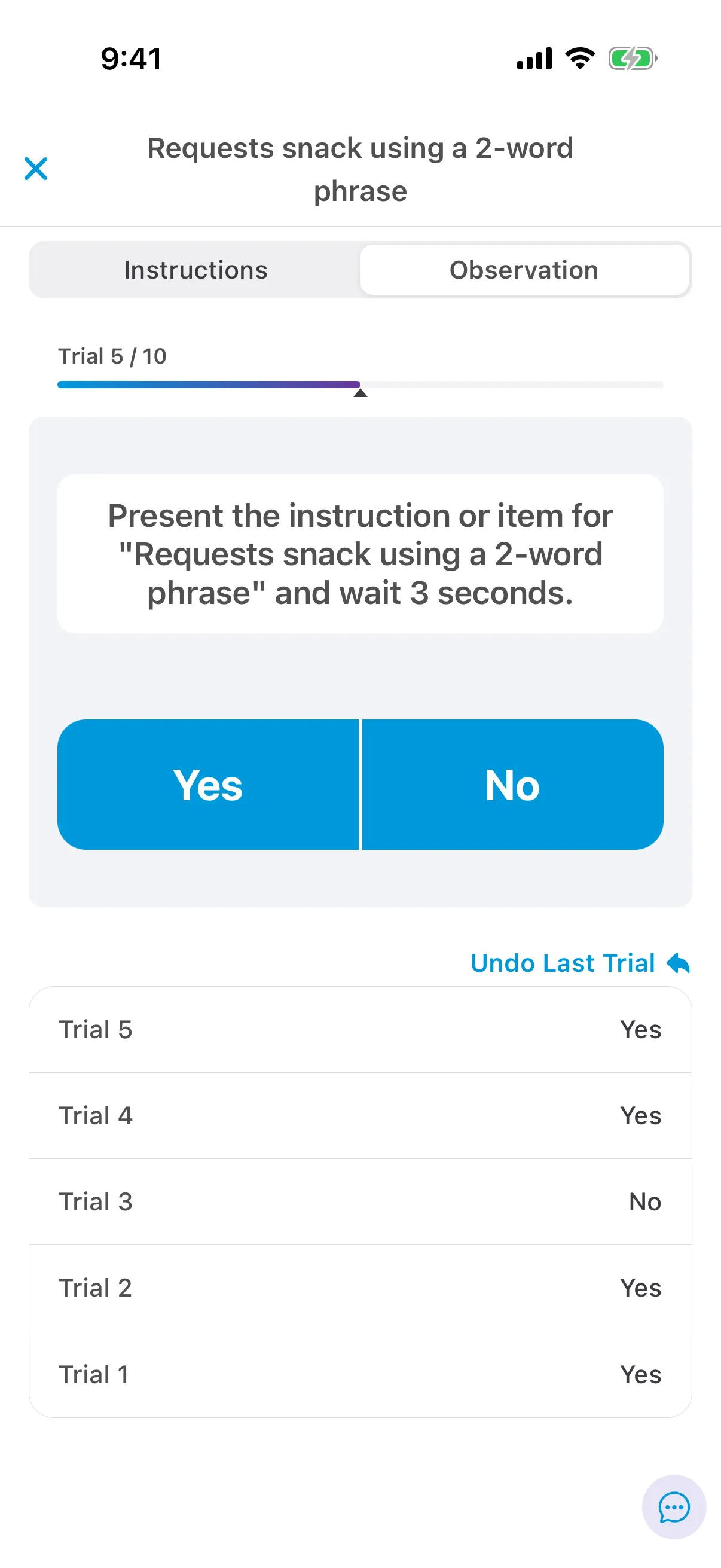
If fewer trials than the minimum are collected, the score is preliminary: it shows in orange in the target’s history with an orange * in the session, and it isn’t plotted on the graph.
Prompting workflows
Section titled “Prompting workflows”Percent-correct targets can include prompt levels.
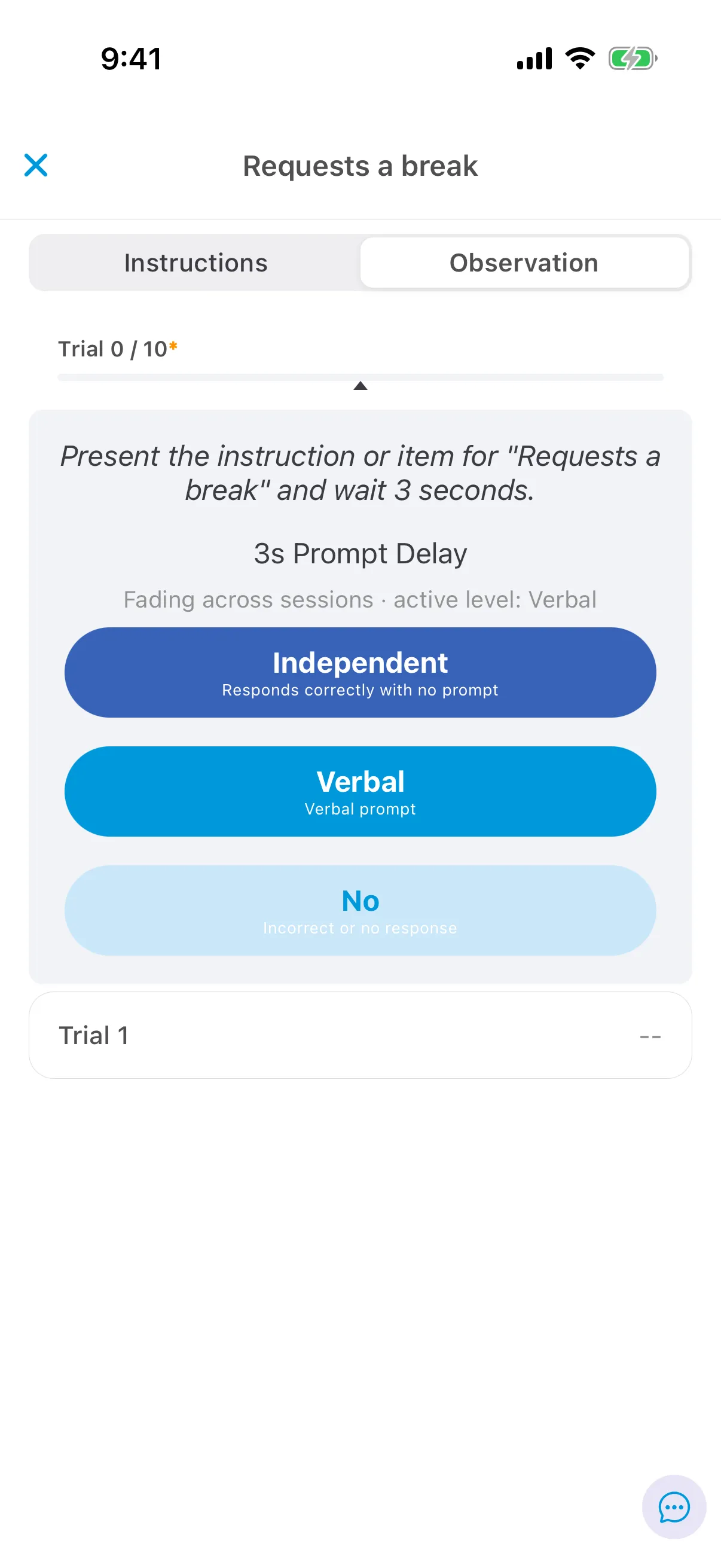
- Fading within trials: support the learner with the levels in the order shown, and tap the level that produced a correct response. Levels set to score as correct count as correct; others count as incorrect.
- Fading across sessions: use the active prompt level. When the learner masters a level, the next one becomes active and a prompt-change line appears on the graph. Once every level is faded, only Independent and No remain.
The score is independent and correctly prompted trials divided by total trials.
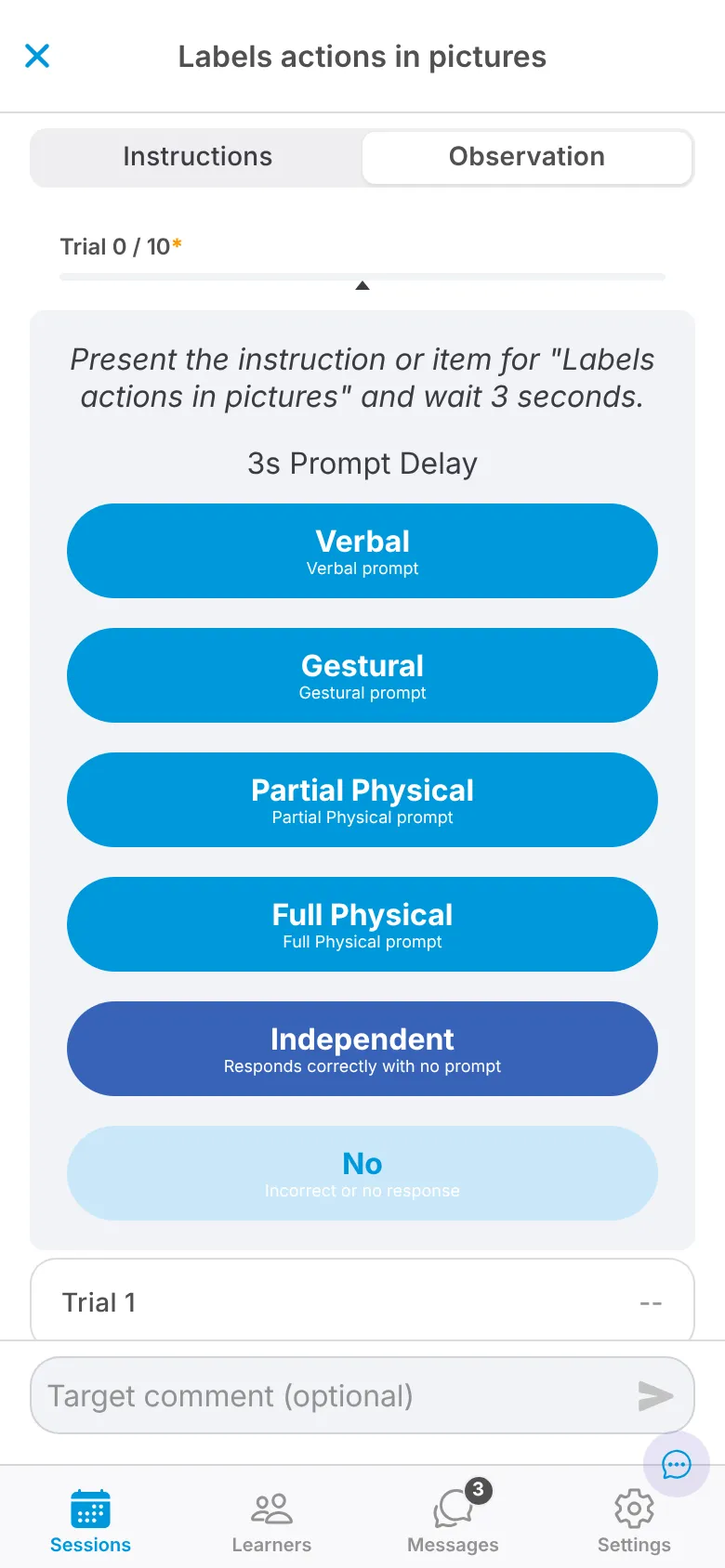
To set up a prompting workflow, see Configure a prompting workflow.
Task analysis
Section titled “Task analysis”A skill broken into steps. Record Yes or No for each step in a trial. A trial is incomplete until every step has data, and incomplete trials don’t count. The score is the average across complete trials, each scored as correct steps divided by total steps.
Tap Count each time the learner demonstrates the skill, or Confirm zero if it didn’t happen. The score is the total count.
Duration
Section titled “Duration”Start the timer when the skill begins and stop it when it ends. The score is either the average duration of all occurrences or the total duration, as configured, in hours, minutes and seconds. Average duration targets have minimum and expected trials.
Behavior reduction
Section titled “Behavior reduction”A behavior can have more than one objective. The objective shows under the behavior’s name in sessions.
Tap Count for each occurrence. The score is the total count for the session.
Duration
Section titled “Duration”Start the timer when an occurrence begins. Pause it if you’re unsure whether the behavior has ended, then resume or stop. The score is the average or total duration, as configured.
Rate is count divided by time, converted to per hour or per minute as configured.
- Session duration as observation period: tap Add Count for each occurrence. The rate is the count divided by the session’s length. Example: 6 occurrences in a 45-minute session, per hour, is 8 per hour.
- Custom observation period: start the timer to begin the observation period and count occurrences until it ends. With more than one period, the score is the average rate. Example: 22 occurrences in 10 minutes, then 14 in another 10 minutes, per minute, is 1.8 per minute (the average of 2.2 and 1.4).
ABC observation (coming soon)
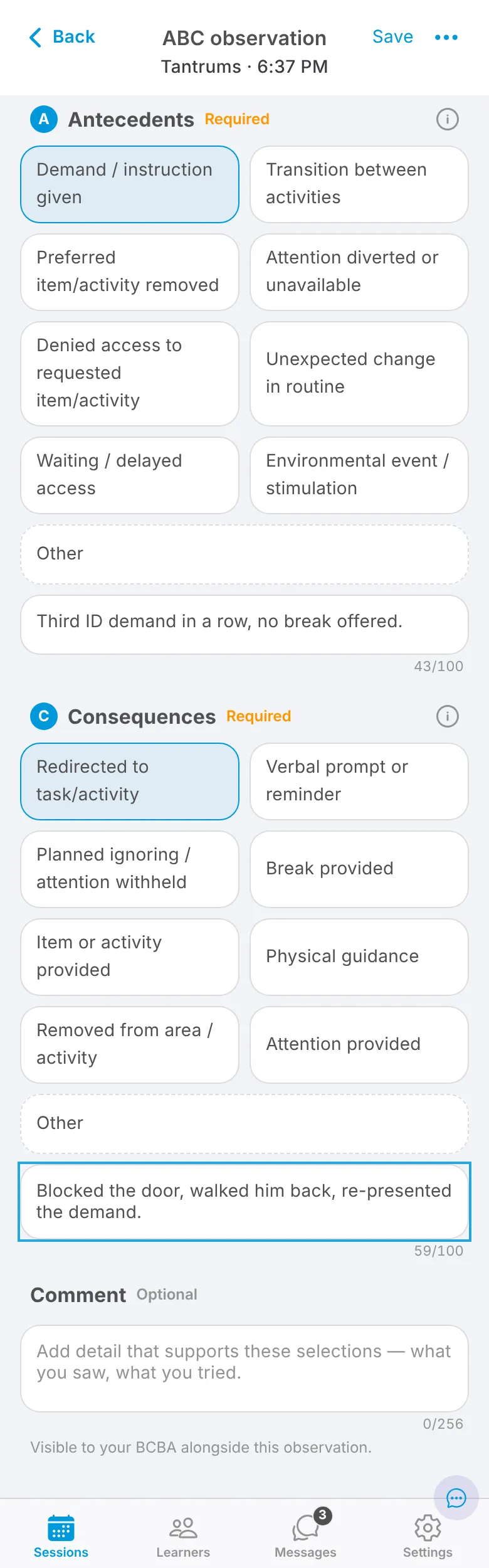
Section titled “ABC observation (coming soon)”An ABC observation records what happened before and after a behavior: the antecedent, the behavior and the consequence.
- In a session, tap + ABC on the Observations tab.
- Pick the behavior. If it isn’t on the care plan, tap New behavior and type its name.
- Choose one antecedent and one consequence, and add specifics under each: what was happening, who responded and how. Both are required. Add a Comment for anything else your BCBA should see.
- Tap Save & back to session, or Save & record another if the behavior happens again.
If you’re interrupted, tap Finish later to keep a draft, and finish or discard it before you submit the session. A new behavior you add waits for a BCBA to review it.
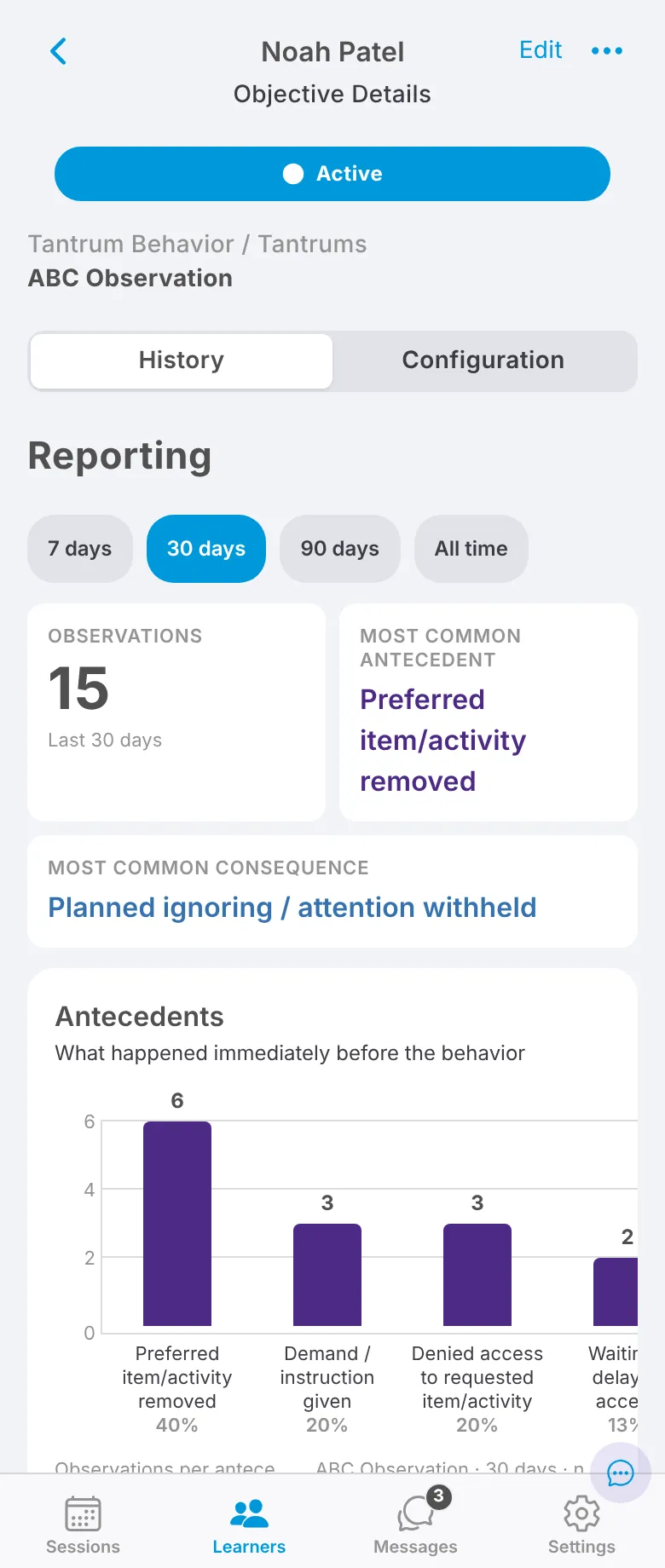
Saved observations appear on the behavior’s ABC Observation objective. Its History tab shows the number of observations and the most common antecedent and consequence for the last 7, 30 or 90 days, or all time.