

Quick start: BCBA
As a BCBA, you build each learner’s care plan. Targets you start appear in your Behavior Technicians’ direct care sessions.
-
Learn how a care plan is organized. Goals hold targets; behaviors hold objectives. See How a care plan is organized.
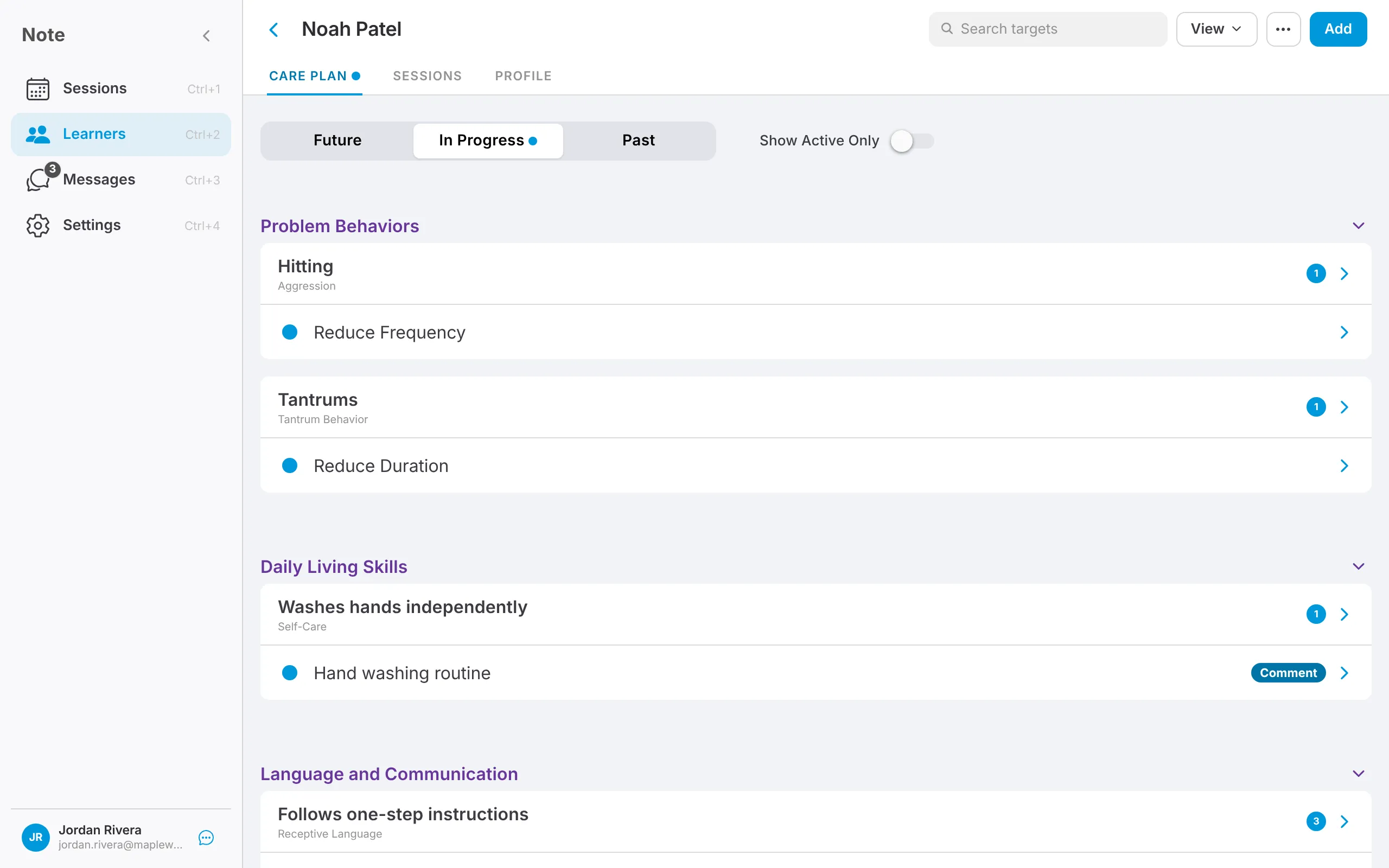
-
Add goals and targets. See Add goals and targets.
-
Configure each target. Choose a form of measure and mastery criteria, and assign providers. See Configure a target.
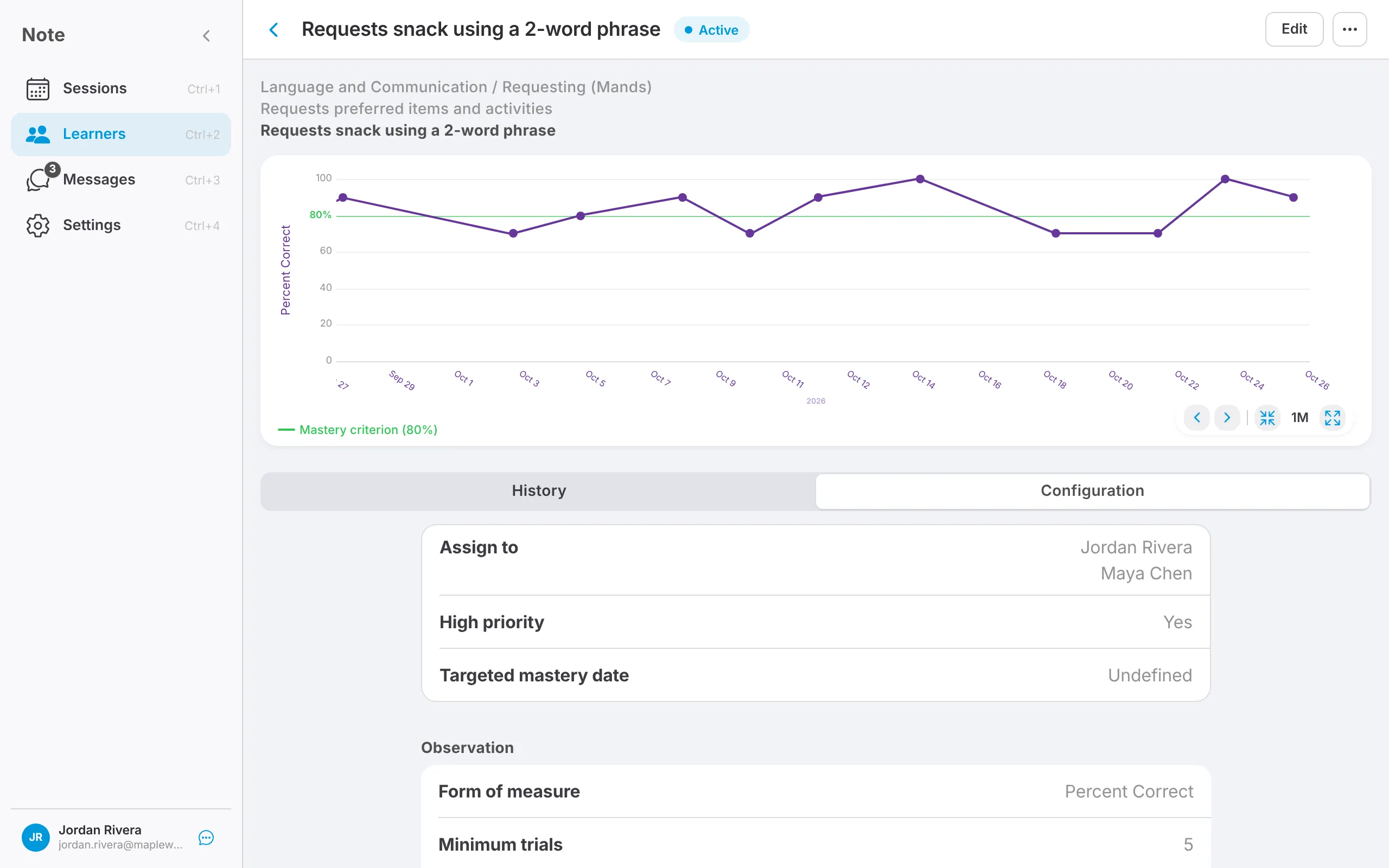
-
Start the target as Baseline, or enter baseline data and start it as Active. See Target phases.
-
Check the graphs as data comes in. See Graphs.
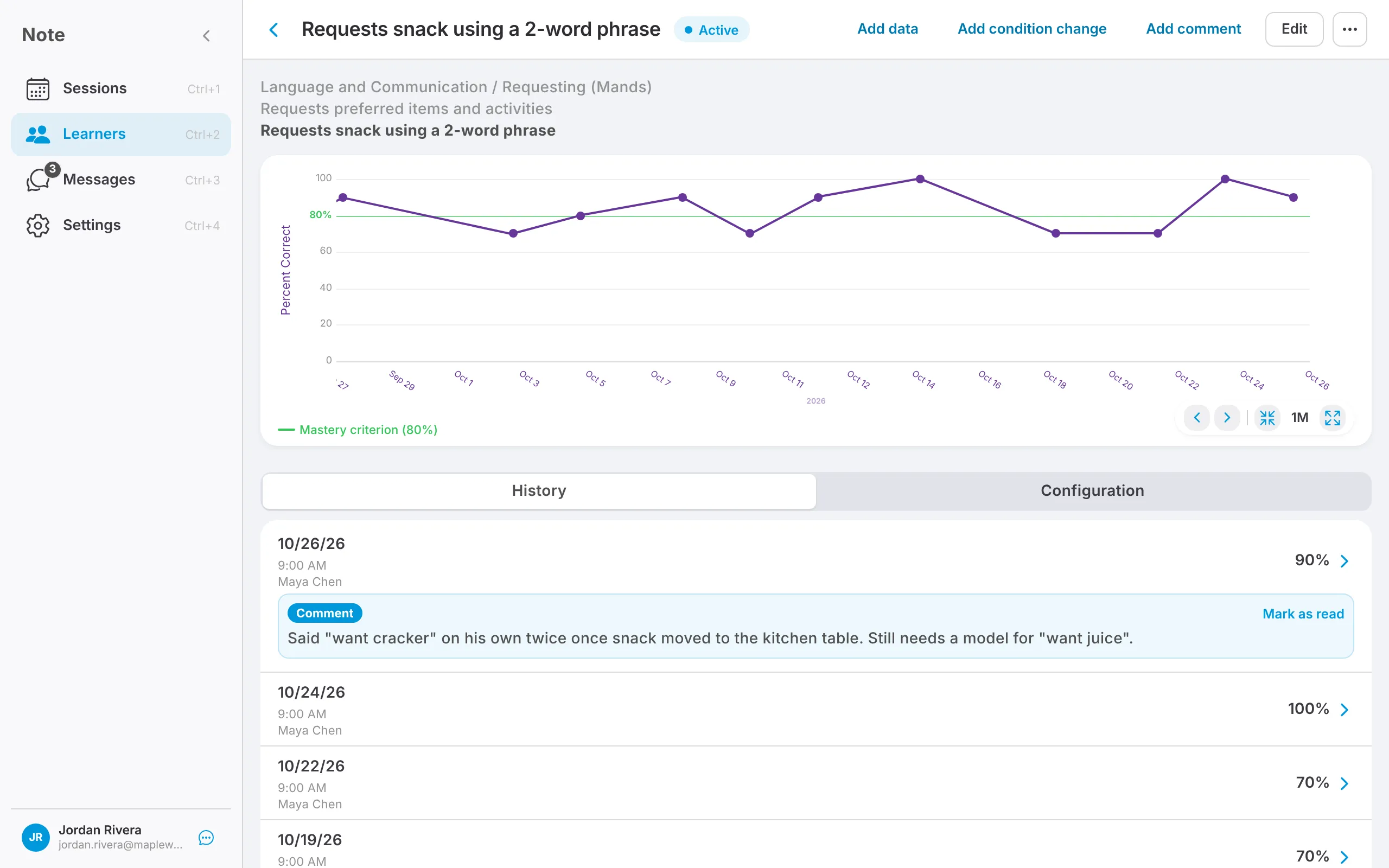
Check what your technician sees
Section titled “Check what your technician sees”To see a technician’s target list, open the learner, tap Sessions, and open the technician’s session. The Observations tab shows the targets that session will collect.