

Care Team Management
The Care Team Management view breaks a learner’s care plan activity down by provider, so you can see what each member of the care team worked on.
- On the Learners tab, open the learner.
- On the care plan, tap the Views and Filters button (the sliders icon) at the top right and choose Care Team Management.
- Set the Start date and End date, turn Display graphs on or off, and tap Apply.
- Use the arrows next to the provider’s name to move between members of the care team.
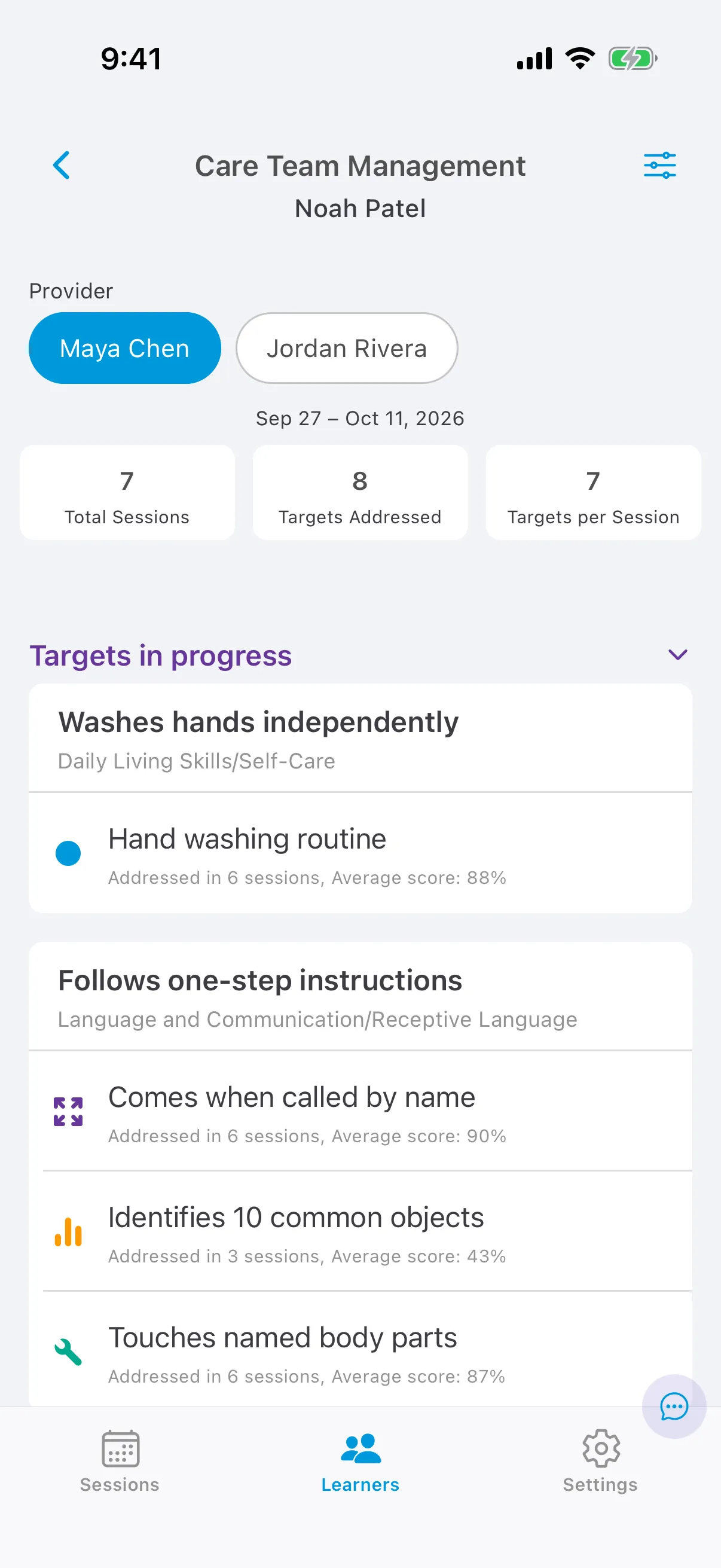
For each provider you see the number of sessions, the number of distinct targets and the average number of targets per session in the date range. Each target shows how many of that provider’s sessions it was worked on and its average score, and mastered targets show the date they were mastered.