

Write a session note
A session note summarizes what happened in the session and how it affects the learner’s progress. It supports clinical decisions, and most funders require one.
Open the Session Note tab of a session to write it. The sections depend on the type of session.
Direct care sessions
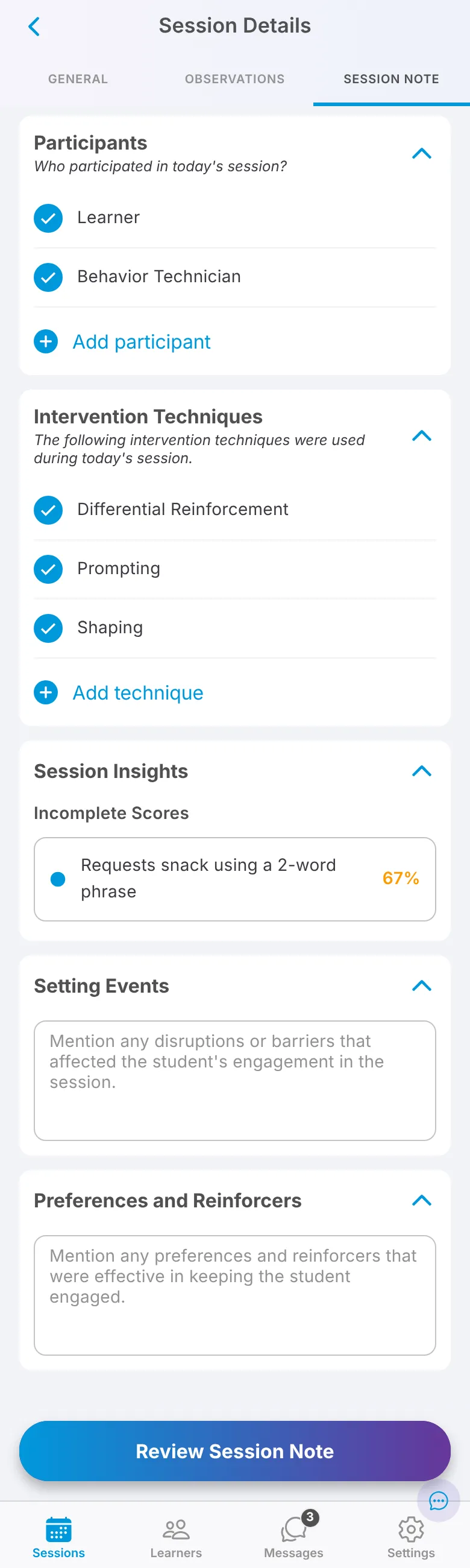
Section titled “Direct care sessions”A direct care session note has five sections:
- Participants: who was present.
- Intervention Techniques: the techniques configured on the targets you worked on. Leave the ones you used selected and clear any you didn’t. This section doesn’t appear if none of the session’s targets have techniques configured.
- Session Insights: a summary of your data, grouped into improving scores, regressing scores, incomplete scores (fewer trials than the minimum) and problem behaviors.
- Setting Events: anything that may have affected the session or the learner’s behavior.
- Preferences and Reinforcers: what the learner preferred and what reinforcers you used.
The session note opens after you have collected session data.
BCBA sessions
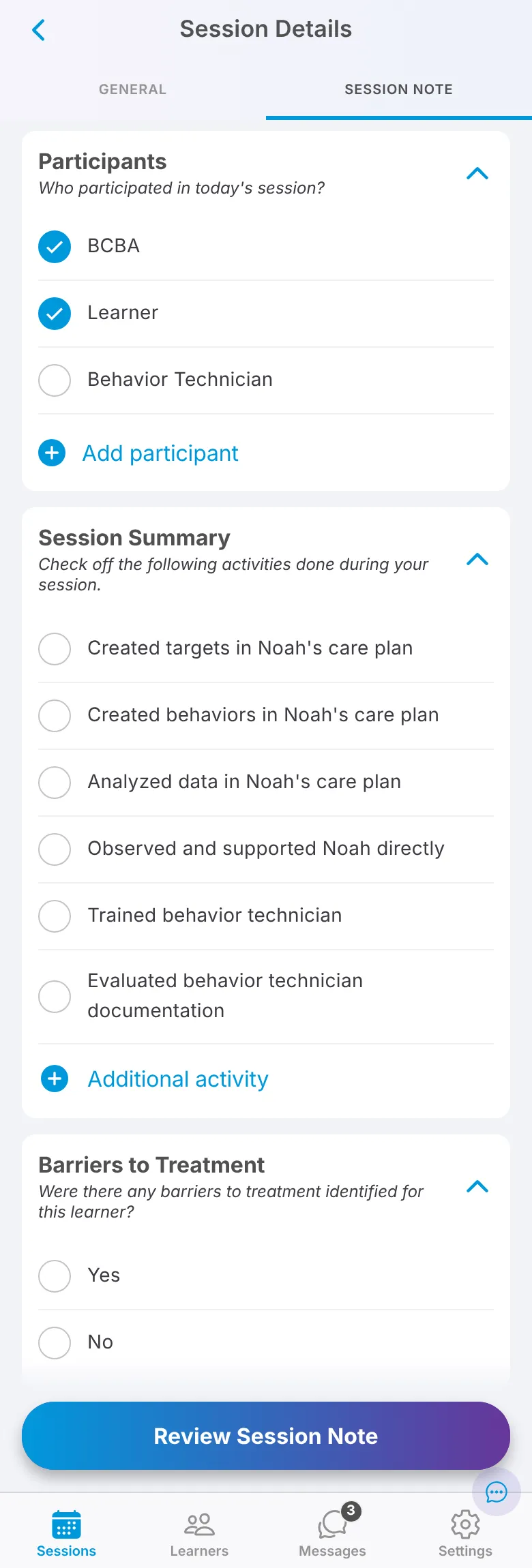
Section titled “BCBA sessions”Supervision, family training and assessment sessions have three sections:
- Participants: who was present. You can add names in parentheses, such as “Mother (Priya Patel)”.
- Session Summary: the tasks you did. Select each one and add detail where Note asks. Some tasks can reference targets you added or updated, or scores collected during the session.
- Barriers to Treatment: any barriers that came up.
These notes must be at least 100 characters before the session is ready to submit.
Review the narrative
Section titled “Review the narrative”When the sections are complete, tap Review Session Note. Note writes a narrative from what you entered. Read it, edit it so it accurately describes the session, then save.
Target comments are an upcoming feature and are not turned on yet. Once they are, in a direct care session the comments you marked Include in Session Note Narrative will be added at the end of the narrative.