

Switch organizations
If you work for more than one organization, you can use all of them in Note with the same account. Note opens one organization at a time.
Switch to another organization
Section titled “Switch to another organization”-
Open Settings and tap Manage Environments.
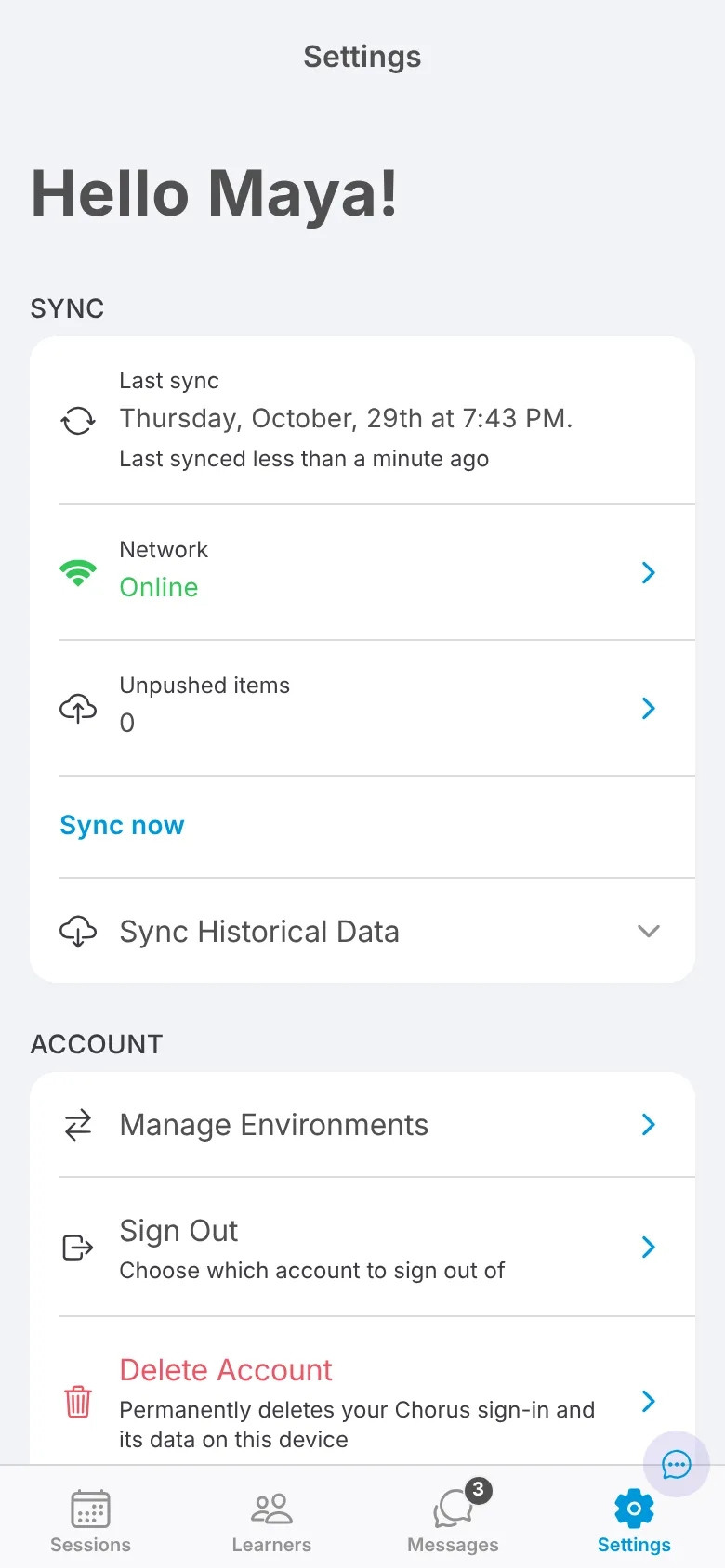
-
Tap the organization you want to open.
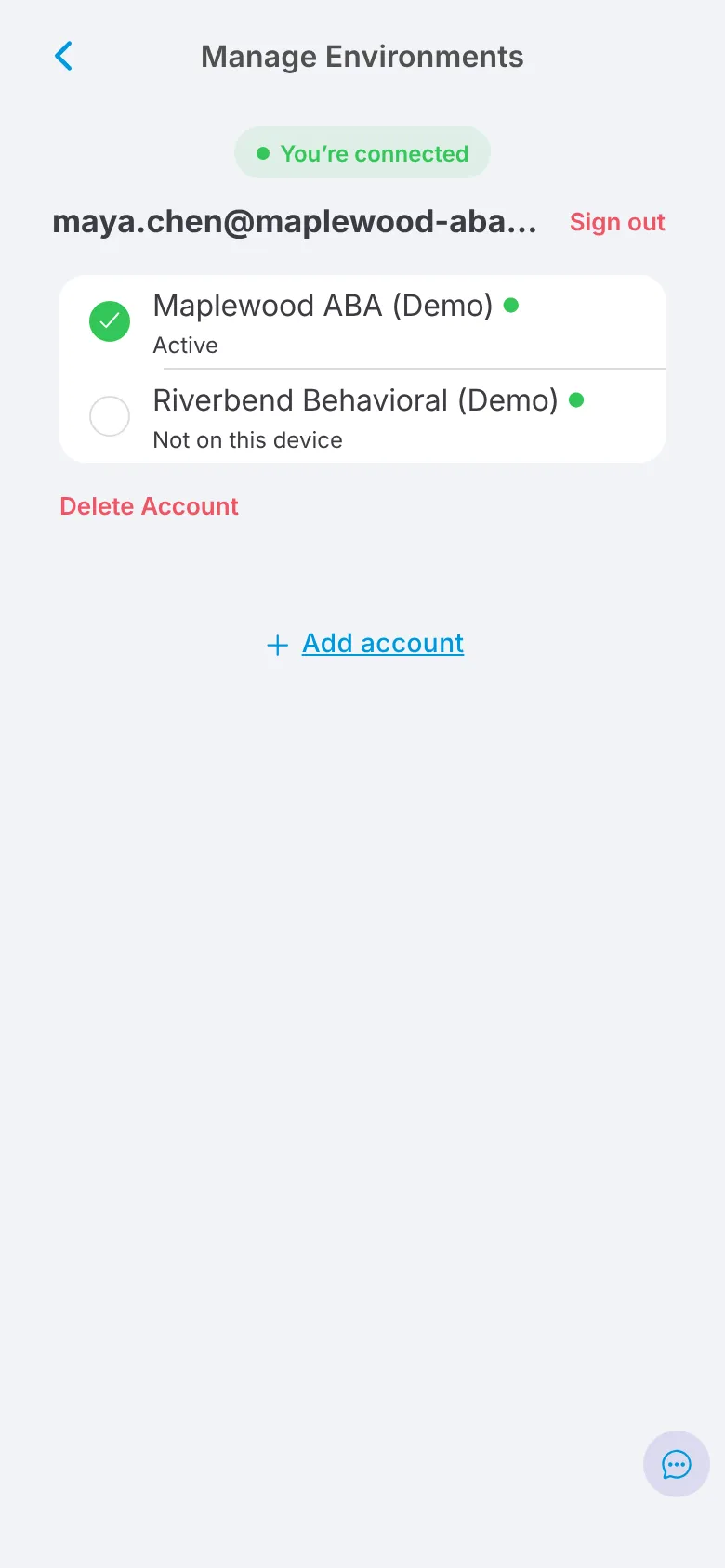
The organization you’re using is marked Active. The first time you open an organization, Note downloads its data, which can take a minute. After that, it shows as Ready.
If you switch often
Section titled “If you switch often”You don’t need to sign out between organizations. Just switch. Each organization’s data stays on your device, so switching back is quick, and anything you haven’t synced yet is kept and syncs the next time you open that organization.
To add an organization that isn’t listed, tap Add account and sign in.