

Session statuses
Every session has a status. It shows as a colored bar and icon on the session list, and as a banner at the top of the session’s General tab.
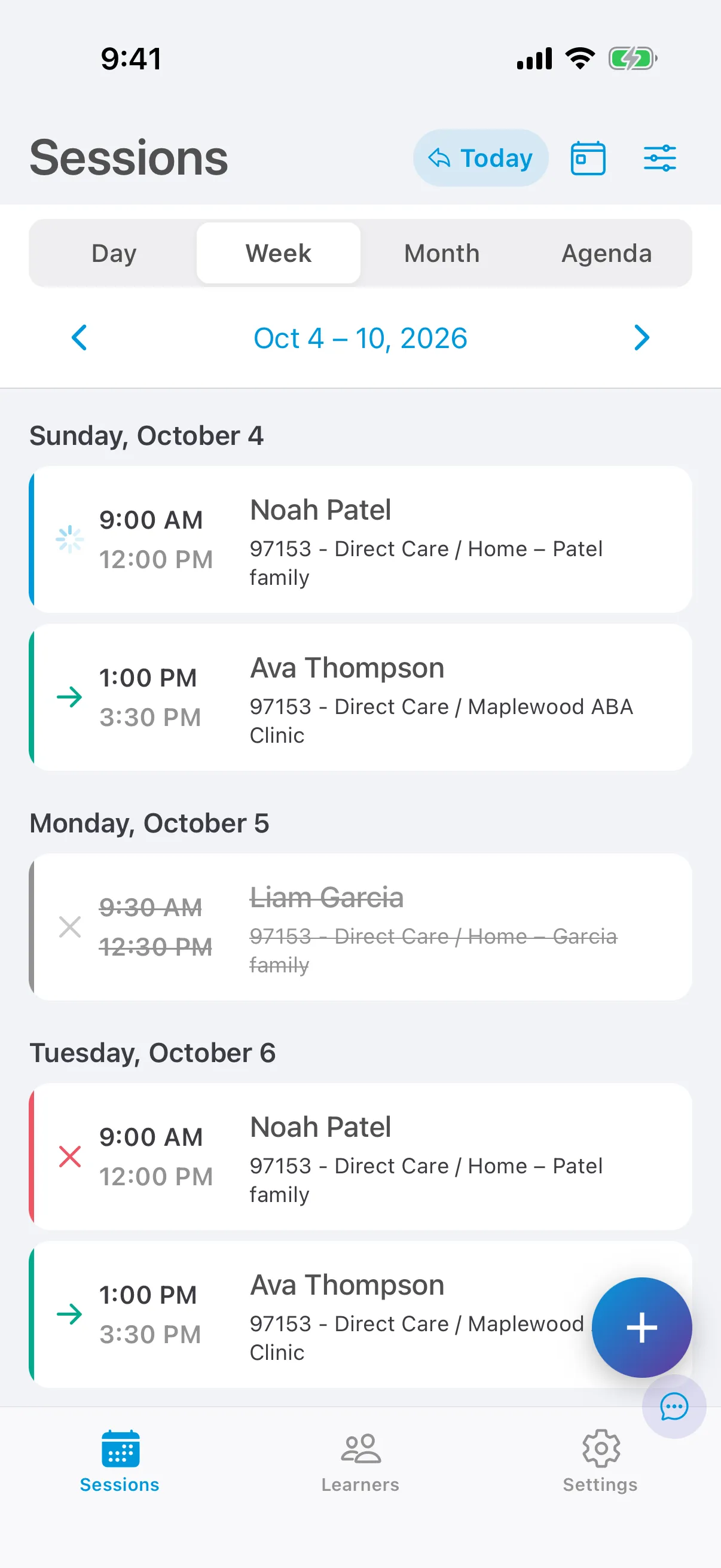
| Status | Icon | What it means | What to do |
|---|---|---|---|
| Scheduled | ● | The session is on your schedule. Future sessions and today’s sessions without data are Scheduled. | Start it when the session begins. |
| In progress | ▶ | You started the session and are collecting data. | End the session when you finish. |
| Incomplete | ⚠ | The session is in the past and is missing something: session data, the session note, or a long-enough note. The banner says which. | Add what’s missing. |
| Ready to submit | → | The session has its data and note, and your organization’s checks passed. | Tap Sign & Submit. |
| Pending validation | 🕓 | Your organization’s server hasn’t checked the session yet. | Wait, and sync. It usually clears in a few minutes. |
| Validating | 🕓 | Your organization is checking the session now. You can’t edit the schedule details while it validates. | Wait. |
| Declined | ✕ | Your organization’s checks found a problem. The reason is on the General tab. | Fix the issue and the session is checked again, or contact your organization. |
| Submitted | ✓ | You submitted the session. | Nothing. Submitted sessions can’t be edited. |
| Canceled | ✕ | The session was canceled. The reason is on the General tab. | If you canceled it by mistake, tap Reschedule. |
Why a session is declined
Section titled “Why a session is declined”When your organization declines a session, the reason appears at the top of the General tab.
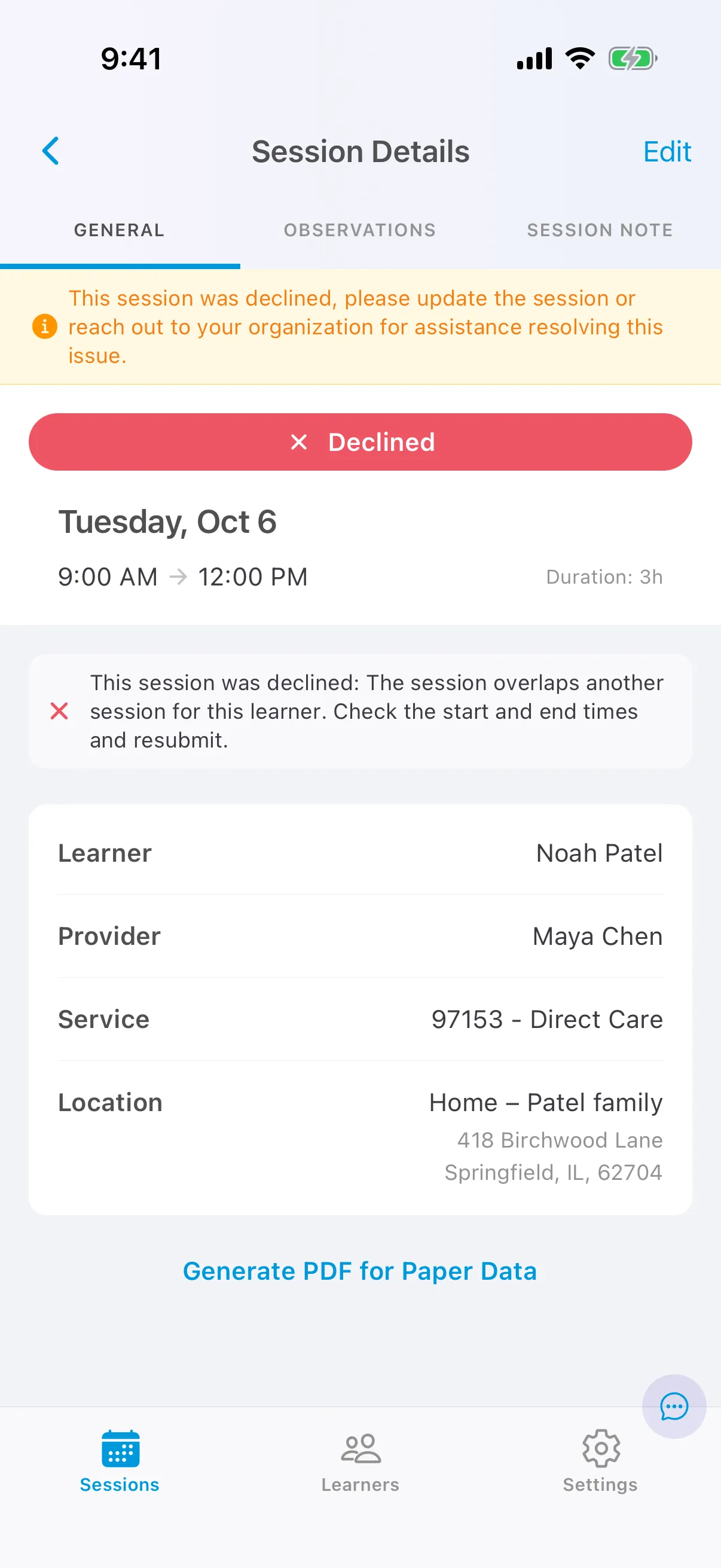
Common reasons include overlapping sessions, a service outside the learner’s authorization, or hours over the authorized amount. Correct the details and the session is checked again. Why a session was declined explains every reason and who fixes it.
Why a session is incomplete
Section titled “Why a session is incomplete”A past session is Incomplete until it has what it needs:
- Direct care sessions need session data on at least one target or behavior, and a session note.
- Other sessions (supervision, family training, assessment) need a session note of at least 100 characters.