

Assessment reports
Note fills your organization’s assessment report template with data from the learner’s care plan and images of their graphs, so the report starts accurate and mostly written.
Generate a report
Section titled “Generate a report”You can start a report from an assessment session or from the learner’s care plan.
-
Do one of the following:
- Open an Initial Assessment or Follow-up Assessment session and tap Export Initial/Reassessment Report, or
- On the learner’s care plan, tap ⋯ at the top right and choose Generate Initial Assessment Report or Generate Reassessment Report.
-
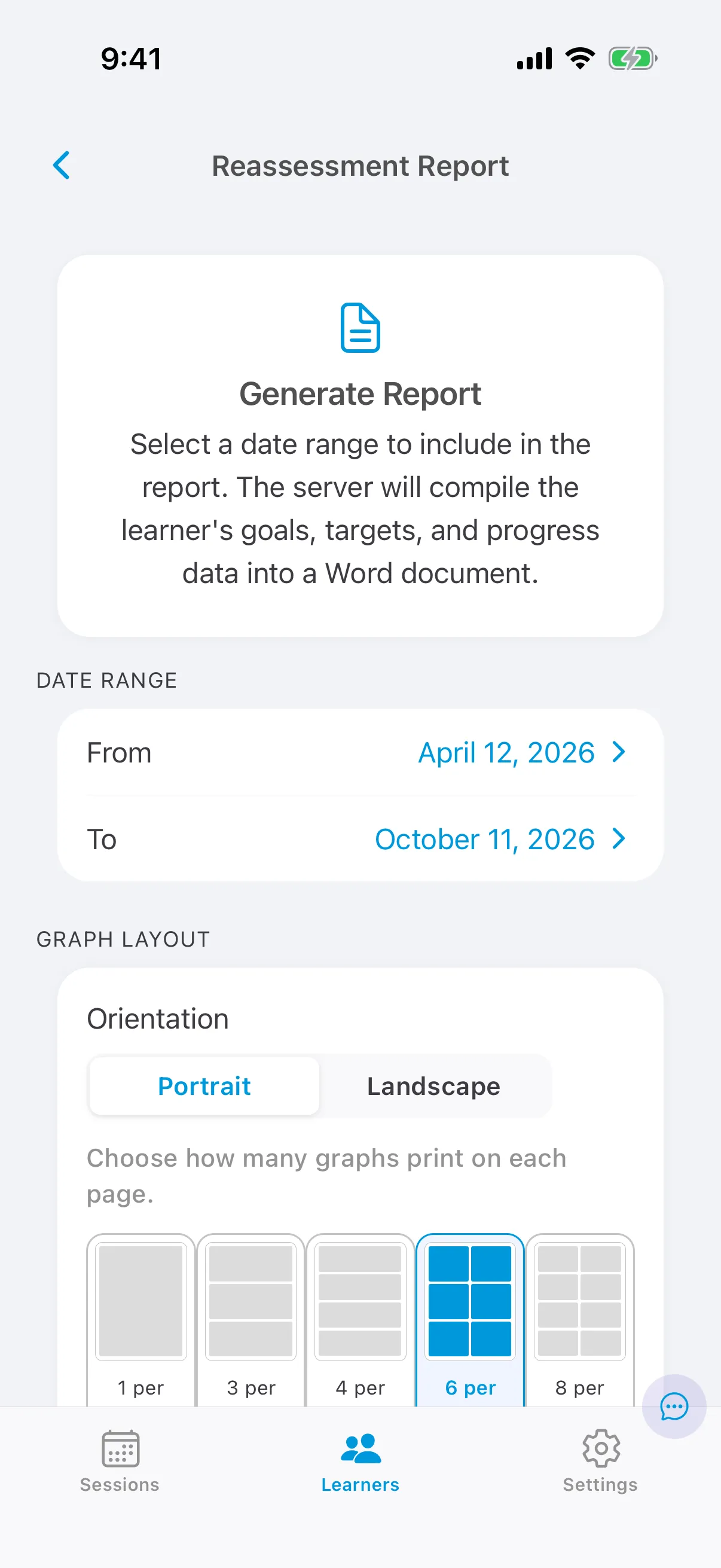
Under Date range, choose the dates of the learner’s previous authorization period.
-
Under Graph layout, choose Portrait or Landscape and how many graphs print on each page (1, 3, 4, 6 or 8).
-
Tap Generate Report.
When the report is ready, Note opens it so you can save or share it. The report is a Word document; you can also open it in Google Docs.
What goes into the report
Section titled “What goes into the report”Skill acquisition
Section titled “Skill acquisition”Each domain prints with your organization’s description of it, followed by up to three tables:
| Table | Targets listed | Columns |
|---|---|---|
| Mastered goals and objectives | Mastered during the date range | Sub-domain, goal, target, date mastered |
| In progress goals and objectives | In Baseline or Active at the end of the date range | Sub-domain, goal, target, baseline level (average of all baseline data), start date (first active data point), current level (average of the last 5 data points), mastery criteria, targeted mastery date |
| Future goals and objectives | In Future or On Hold at the end of the date range | Sub-domain, goal, target, baseline level, mastery criteria, targeted mastery date |
Graphs for each target follow its table. A target with no data in the date range isn’t listed, so for an initial assessment, enter baseline data on the care plan before you generate the report.
Behavior reduction
Section titled “Behavior reduction”Each problem behavior prints under its category, with a table (baseline level, start date, current level, mastery criteria, status and comments), its behavior intervention plan, and its graphs. The plan uses the behavior’s topography, antecedent interventions and consequence interventions from the care plan, with space for you to add the function of the behavior and replacement behaviors.